
Download Alianza del Valle APK – Finance App, Mobile Banking, Financial Management, Secure Transactions, Transfer Money, Interbank Transfer, Account Details, Android App
Overview
Alianza del Valle is a free Android application developed by Cooperativa de Ahorro y Crédito Alianza del Valle, designed to serve the financial needs of its cooperative members. The app falls under the Business & Productivity category, specifically within Finance, and provides users with essential tools for managing personal finances on the go. It enables customers to perform a variety of transactions, including transfers between Alianza accounts, interbank transfers, and viewing detailed account information. The primary purpose of the application is to offer a convenient and secure digital alternative to traditional banking methods, allowing users to access their financial data and conduct transactions anytime, anywhere.
Target users include members of the cooperative who require reliable, mobile-based financial services. The app is particularly useful for individuals who frequently manage their accounts, monitor balances, or need to transfer funds quickly. Real-world usage scenarios include paying bills, sending money to family members, checking transaction history, and verifying account details without visiting a physical branch. The developer did not provide additional details about the organization’s background beyond its name, but the app’s focus on financial accessibility and security suggests a commitment to member-centric services.
Key Features & Capabilities
- Account Management – Users can view detailed account information, including balances, transaction history, and account status, all in real time.
- Interbank Transfers – The app supports transfers between accounts held at different financial institutions, enabling seamless money movement across banks.
- Alianza Account Transfers – Instant transfers between accounts owned by the same user within the Alianza del Valle cooperative system.
- Transaction Tracking – A built-in feature allows users to monitor past and recent transactions, helping with budgeting and financial oversight.
- User-Friendly Interface – The app’s design emphasizes simplicity and ease of navigation, allowing users to complete tasks with minimal steps.
These capabilities empower users to manage their finances efficiently without the need for in-person visits to a branch. For example, a member can check their account balance before making a purchase, initiate an interbank transfer to a relative, or review a month’s worth of transactions in under two minutes. The app’s focus on accessibility and speed makes it a practical tool for daily financial management, especially for users who value convenience and digital autonomy.
User Interface, Workflow & Performance
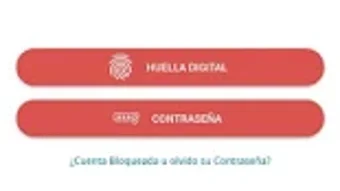
The user interface of Alianza del Valle is described as simple and user-friendly, with a clean layout that prioritizes functionality over visual complexity. Navigation appears to be intuitive, with clearly labeled sections and a logical flow between features. Users can access key functions such as account details, transfer options, and transaction history through a streamlined menu system. The workflow is designed to minimize the number of steps required to complete common tasks, contributing to a faster and more efficient user experience.
Performance details were not specified by the developer. However, based on general behavior of similar mobile banking applications, the app is expected to operate smoothly on modern Android devices with stable internet connectivity. The developer did not provide information about CPU or RAM usage, so specific performance metrics cannot be confirmed. Stability is assumed to be consistent with standard financial apps, but exact behavior may vary depending on device configuration and network conditions. Users should expect responsive interactions when performing transactions, provided the device meets minimum Android requirements.
Compatibility & System Requirements
Alianza del Valle is available for Android devices. The app is designed to run on the Android operating system, though specific version requirements were not listed. Installation size is not specified, so exact disk space usage cannot be determined. The developer did not provide additional system requirements, including minimum RAM, processor specifications, or storage needs. Compatibility information is limited to the platform, with no mention of support for iOS or other operating systems.
Users should ensure their device is running a current version of Android to avoid potential issues. The app is distributed through the Google Play Store, which helps maintain a secure and verified distribution channel. For users seeking to install the APK directly, caution is advised to avoid third-party sources that may compromise security. The developer did not specify whether the app supports offline functionality or requires constant internet access.
Pros and Cons
Pros
- Free to download and use, reducing financial barriers for cooperative members.
- Simple and intuitive interface enhances usability for all user levels.
- Supports both intra-cooperative and interbank transfers for greater financial flexibility.
- Enables real-time access to account details and transaction history.
- Offers a secure and convenient alternative to physical branch visits.
Cons
- Compatibility details for specific Android versions were not provided.
- Performance and resource usage data were not disclosed by the developer.
- Only available for Android, limiting access for iOS users.
- No information on offline functionality or backup options.
- Dependence on internet connectivity for all operations.
FAQ Section
Is Alianza del Valle available for iOS devices?
The app is currently only available for Android. No information was provided about iOS compatibility or future plans for an Apple version.
Is the app secure for financial transactions?
As a financial management tool developed by a cooperative, the app is designed to support secure transactions. It is distributed through the Google Play Store, which adds a layer of verification and security.
Can I use the app without an internet connection?
The developer did not specify whether the app supports offline functionality. Most financial apps require an active internet connection to access real-time data and complete transactions.
How often are updates released?
Update frequency was not mentioned. Users are encouraged to keep the app updated via the Google Play Store for the latest features and security patches.
What kind of license does Alianza del Valle have?
The app is free to download and use. No licensing details were provided, but it is intended for use by members of Cooperativa de Ahorro y Crédito Alianza del Valle.
Final Thoughts
Alianza del Valle stands out as a practical and accessible financial tool for members of the cooperative. Its focus on core banking functions—account access, fund transfers, and transaction tracking—combined with a user-friendly interface, makes it a reliable choice for mobile banking. While specific technical details such as system requirements, performance metrics, and offline capabilities are not available, the app’s design and functionality align with industry standards for secure financial applications.
It is particularly beneficial for users who prioritize convenience, speed, and digital control over their finances. The absence of a fee and the availability through a trusted platform like Google Play further enhance its appeal. For cooperative members seeking a simple way to manage their accounts remotely, Alianza del Valle delivers on its core promise.
Download Alianza del Valle now





.png)

